WA Home

WA Home
Please click on the picture to go to the MYP Technology Website
Showing posts with label changes. Show all posts

Thursday, May 3, 2012

G9 Tech Class #40

Class # 40!!! :-)

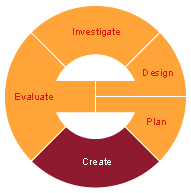
Today we will start with Create stage!


For this stage it is super important to look into these:

1. Your complete Process Journal with :
  • dated journal entries including Visual Evidence (designs, sketches, screen shots, pictures, etc that show how the steps you took to create the product)
  • notes regarding any changes you needed to make to Design and/or Plan: e.g. added a step, changed the order of scenarios/objects, changed the message, used another resource, didn't need a resource, didn't finish what was planned etc.
  • how did the group work? Did you have any issues? how did you overcome them, if any?
2. Explain what tools and techniques you used to create your product
3. How was your time management: Have you followed your time plan? How?
4. Have you made any changes to your chosen design? Why? How?
5. Complete your public announcement/animation following your chosen Design! :-) 

You can always use the Design Folder Checklist to make sure your Create stage is complete.

Keep an eye on the Due Dates for Project 2 to stay on task.

Don't forget to make your journal entry of the day and  include in it all the screenshots of the process of creating your final product as visual evidence!


Wednesday, March 21, 2012

G9 Tech Class #25

Tech Class  #25!!! yahoo!


Today we will start working on Create stage. Please visit the G9 Due dates webpage to plan your time wisely.


You can look into Activity 8: from The NYSE Up Close and Personal Activity Booklet to review what are the expectations of the final product.

For this stage it is super important to look into these:


1. Your complete Process Journal with :
  • dated journal entries including Visual Evidence (designs, sketches, screen shots, pictures, etc that show how the steps you took to create the product)
  • notes regarding any changes made to Design and/or Plan: e.g. added a step, changed the order of tasks, changed the tools, used another resource, didn't need a resource, didn't finish what was planned etc.
  • how did the group work? Did you have any issues? how did you overcome them, if any?
2. Explain what tools and techniques you used to create your product
3. How was your time management: Have you followed your time plan? How?
4. Have you made any changes to your chosen design? Why? How?
5. Complete your Shares tracking using all your spreadsheet knowledge following your chosen Design! :-) (Remember: you need to track your shares and record at least 6 changes in your shares)

You can always use the Design Folder Checklist to make sure your Create stage is complete.

Don't forget to make your journal entry of the day and  include in it all the screenshots of the process of creating your final product as visual evidence!


Thursday, February 2, 2012

G9 Tech Class #11


Today we will start working on Create stage. Please visit the G9 Due dates webpage to plan your time wisely.

For this stage it is super important to look into these:

1. Your complete Process Journal with :
    • dated journal entries including Visual Evidence (designs, sketches, screen shots, pictures, etc that show how the steps you took to create the product)
    • notes regarding any changes made to your bridge design: e.g. added a step, changed the order of tasks, changed the tools, used another resource, didn't need a resource, didn't finish what was planned etc.
    • how did the group work? Did you have any issues? How did you overcome them, if any?
2. Explain what tools and techniques you used to build your bridge
3. How was your time management: Have you followed your timeline? How? Did you need to add more tasks? Did you have to skip/delete tasks? Did you need a different resource? etc...
4. Have you made any changes to your bridge design? Why? How?

You can always use the Design Folder Checklist to make sure your Create stage is complete.